How it works
See Exactly How Your Bot Goes Live in One Afternoon
Add it to your site and it starts answering visitors from your own content. Here's the whole process, with screenshots from the bot on this very site.
Set Up in Four Steps
Add it to your site
Install the WordPress plugin, or paste one line of code into any other website.
It reads your pages
The bot learns from your site's content and keeps up as your pages change. A 650-page site took about 25 minutes.
Make it yours
Pick your colours, write a few instructions in your own voice and add the links you want shared.
Test, then go live
Ask it anything a visitor might. When you like what you see, switch the chat on.
Answers Visitors Day and Night
Visitors ask in their own words and get a clear answer from your website, any time. It only shares links you've approved, and when it doesn't know something, it says so and points people to your team.
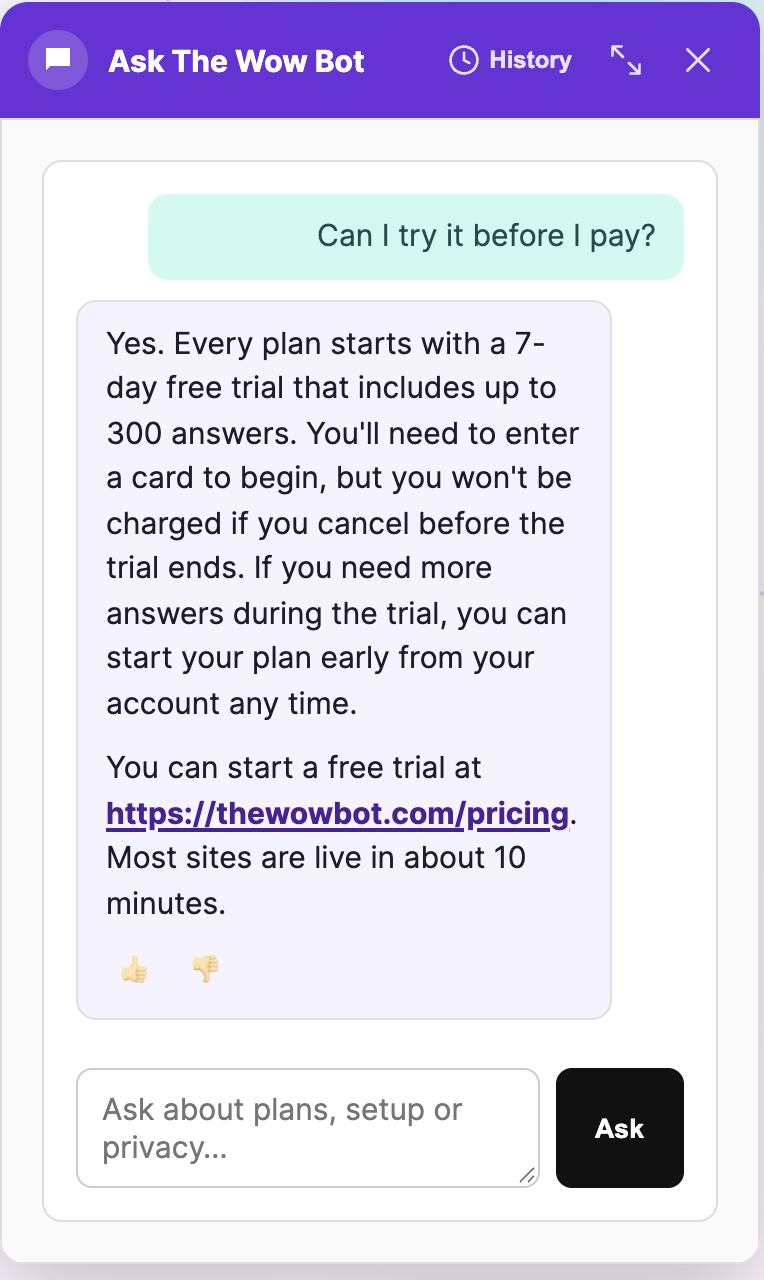
A real answer from the bot on thewowbot.com.
Test It Before Anyone Sees It
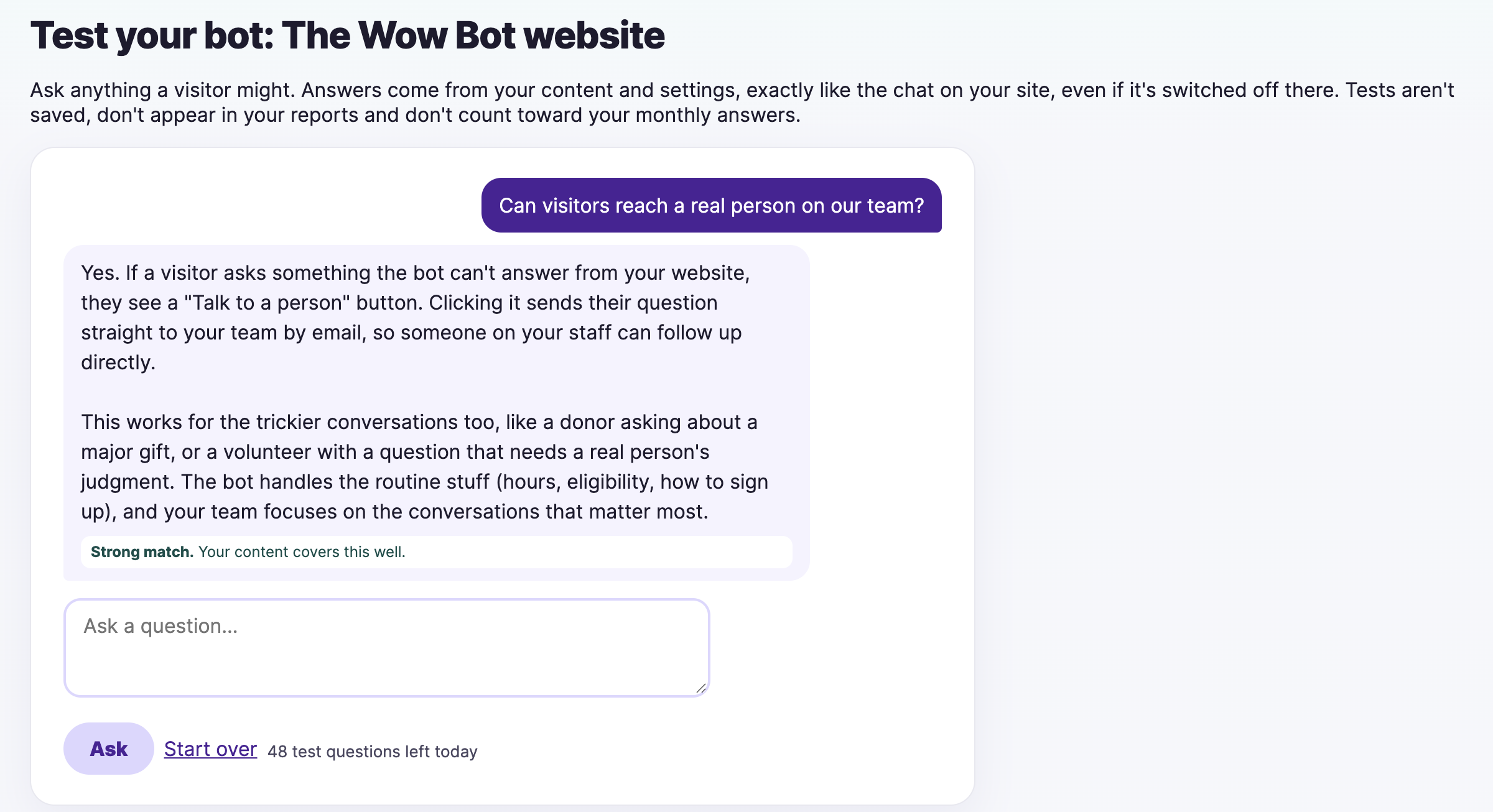
Ask your bot anything a visitor might, right in your account. Each answer shows how well your content covers the question, so you know what to fix before you go live. Tests don't count toward your monthly answers.
Matches Your Brand Instantly
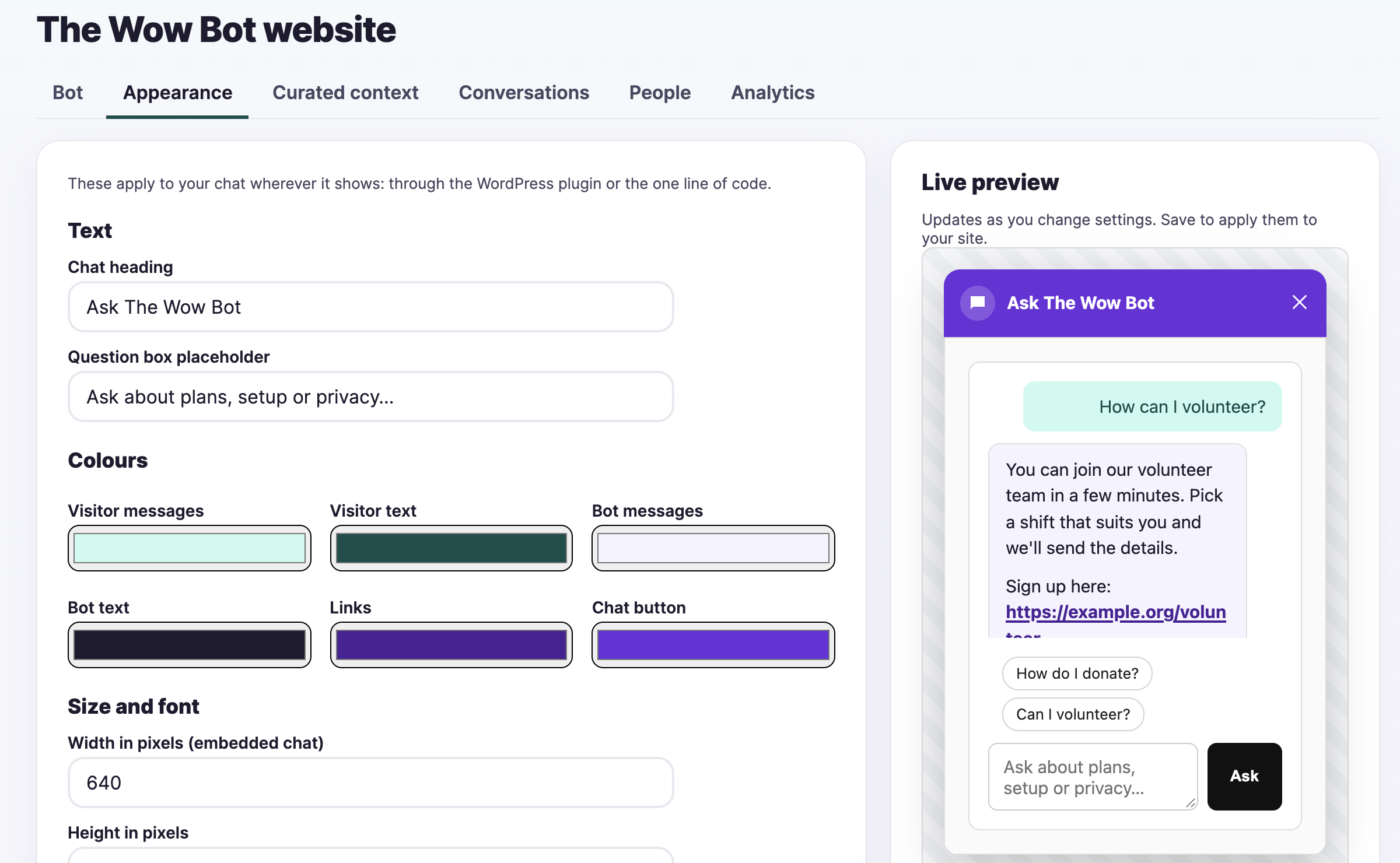
Set the colours for every part of the chat, the heading, the button text and icon, the size and whether it floats or sits inside a page. The live preview updates as you go, so there are no surprises on your site.
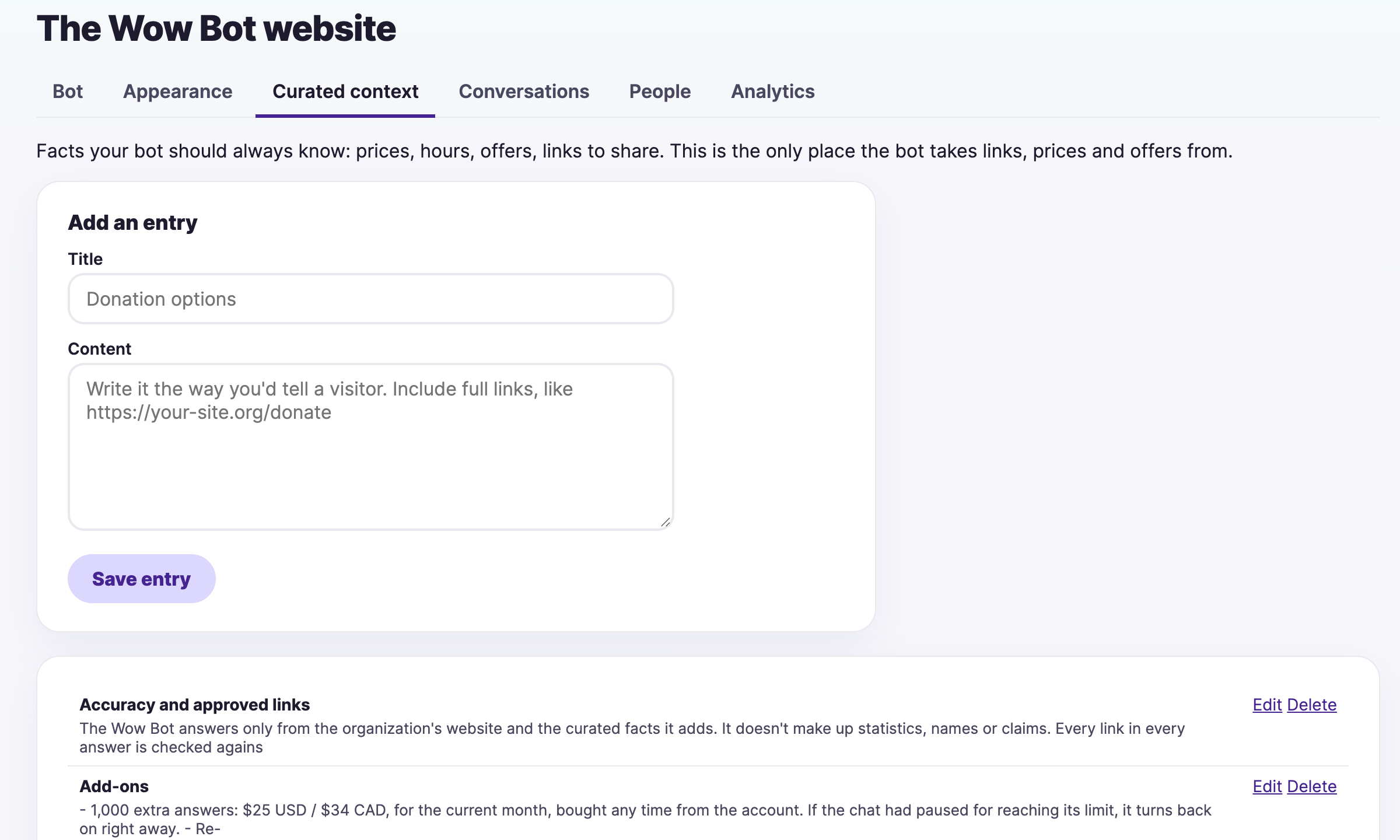
Add the Facts Only You Know
Some answers aren't on your website yet: this month's hours, or the exact link for a sign-up form. Add them as curated context and the bot uses them right away. It's also the only place the bot takes links, prices and offers from, so you stay in control of what it shares.
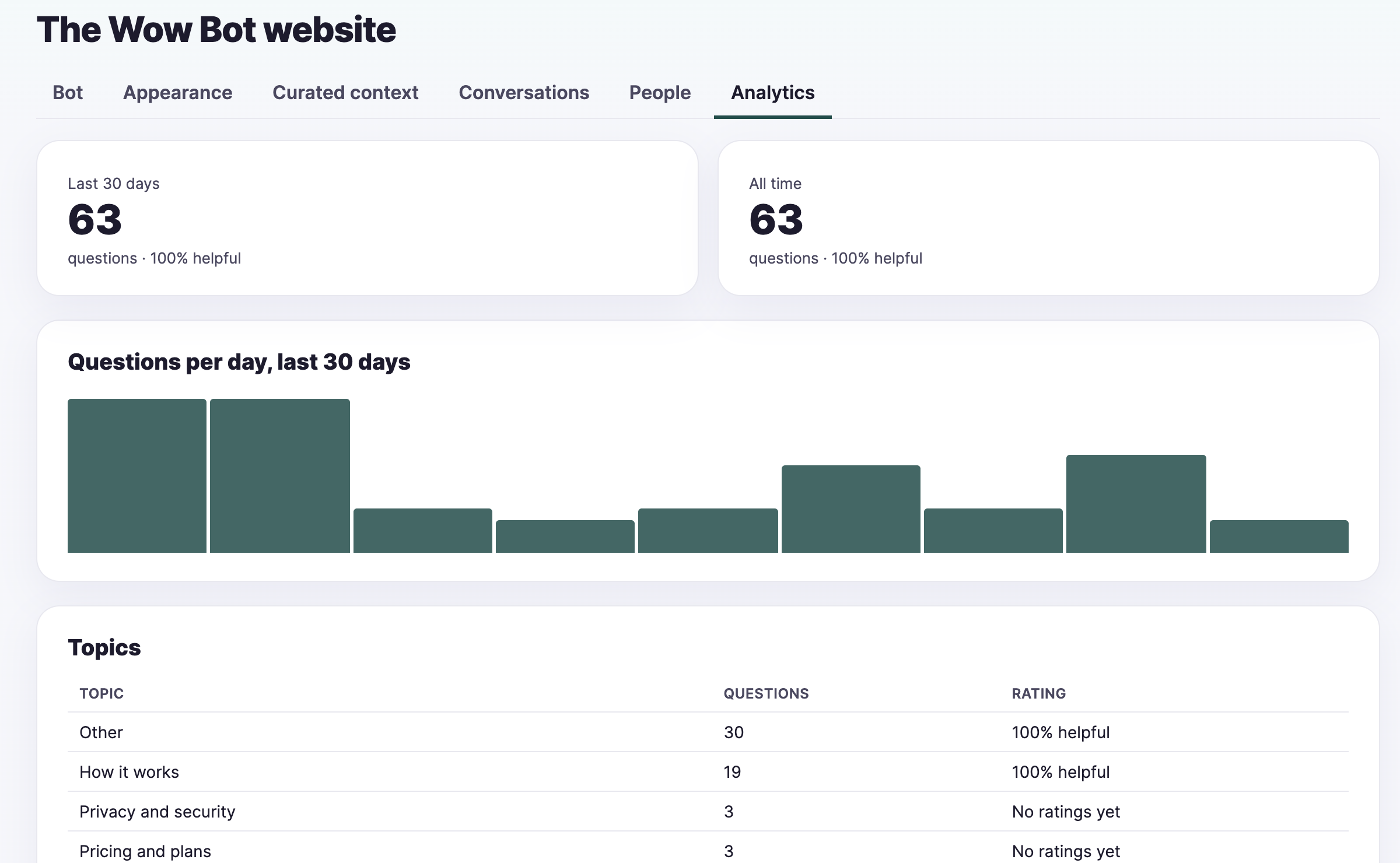
Shows You What People Ask
See how many questions come in each day and which topics come up most. It's a running list of what your website needs to say more clearly.
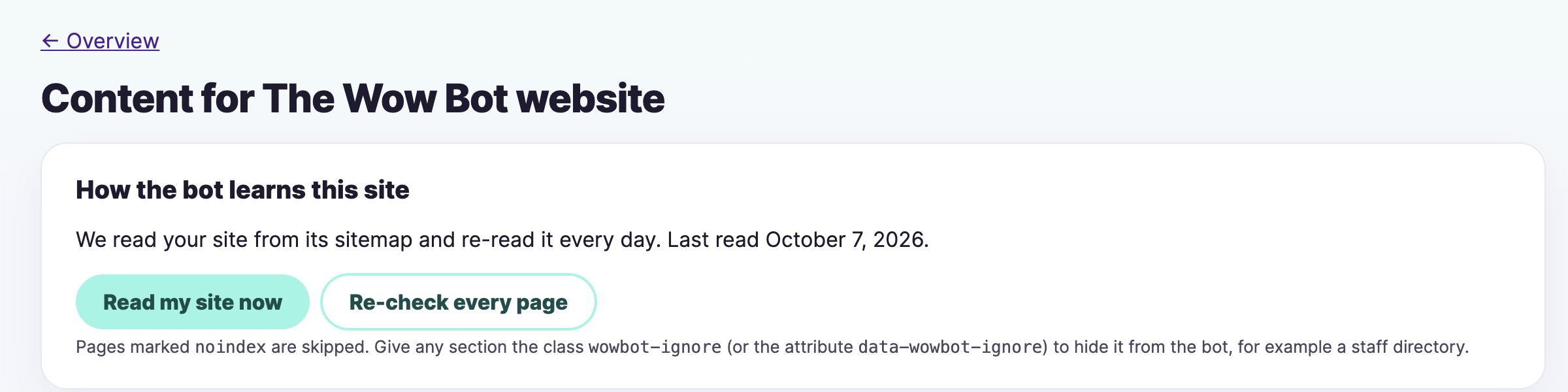
Keeps Up With Your Site
The bot re-reads your site on a schedule, and you can ask it to read again any time you publish something new. Want a section left out, like a staff directory? Add one class and it's skipped.
Built In From Day One
Needs attention
Answers that may have missed the mark land in one list. Write the right answer once and the bot uses it from then on.
Talk to a person
Visitors can leave their details for your team, and you get the request by email.
Private by default
Data is stored in Canada and personal details are encrypted. Our team can't read your conversations unless you allow it.
Weekly summary
A short email each week with what visitors asked and what needs a look.
Questions About Getting Started
How long does setup take?
Most sites are answering questions the same day. Installing the WordPress plugin or pasting one line of code takes a few minutes. Reading your site takes longer for bigger sites: a 650-page site took about 25 minutes. You can test the bot while it works.
Do I need a developer?
No. If you can install a WordPress plugin or paste a line of code into your site settings, you can set it up. If you would rather hand it off, Wow Setup has our team do it for you.
What if the bot gets an answer wrong?
Needs attention lists answers that may have missed the mark. Write the answer you want once, and the bot uses it from then on for that question and ones like it.
Can I keep some pages or sections out of the bot?
Yes. Pages marked noindex are skipped, and you can add the class wowbot-ignore to any section, such as a staff directory, to keep it out.
Try It on Your Own Site Before the Week Is Out
Seven days free, and you can cancel anytime. Or let our team set it up and tune it for you.